





NoEscape Ransomware
It has been reported that recently emerged NoEscape ransomware, which is believed to be a rebrand ofAvaddon is targeting the enterprises in double-extortion attacks. As part of these attacks, the threatactors steal data and encrypt files on Windows, Linux, and VMware ESXi servers.
Infection Mechanism:
Upon execution, NoEscape ransomware will run the following commands to delete Windows ShadowVolume Copies, local Windows backup catalogs, and to turn off Windows automatic repair:
- SHADOWCOPY DELETE /nointeractive
- wmic SHADOWCOPY DELETE /nointeractive
- wbadmin DELETE SYSTEMSTATEBACKUP -deleteOldest
- wbadmin DELETE BACKUP -deleteOldest
- wbadmin DELETE BACKUP -keepVersions:0
- vssadmin Delete Shadows /All /Quiet
- bcdedit /set {default} recoveryenabled No
The encryptor will then begin to terminate the processes, including those associated with securitysoftware, backup applications, web and database servers. It will also stop the Windows servicesassociated with databases, QuickBooks, security software, and virtual machine platforms. Theransomware terminates these applications to unlock files that may be opened and prevented from beingencrypted. However, even if files are locked, the encryptor utilizes the “Windows Restart Manager” API toclose processes or shut down Windows services that may keep a file open and prevent encryption. The encryptor will also configure a scheduled task named 'SystemUpdate' for persistence on the device and tolaunch the encryptor when logging into Windows.
NoEscape's and Avaddon's ransomware encryptors are almost identical, with only one notable change inencryption algorithms. Previously, the Avaddon encryptor utilized AES for file encryption, while"NoEscape" has switched to using the Salsa20 algorithm.
NoEscape ransomware encrypted files will have a 10-character extension appended to the filename,which is unique for each victim.

Fig.1 Files encrypted by NoEscape Ransomware (Source: BleepingComputer)
The ransomware will also change the Windows wallpaper to an image telling victims they can find instructions in the ransom notes named HOW_TO_RECOVER_FILES.txt.
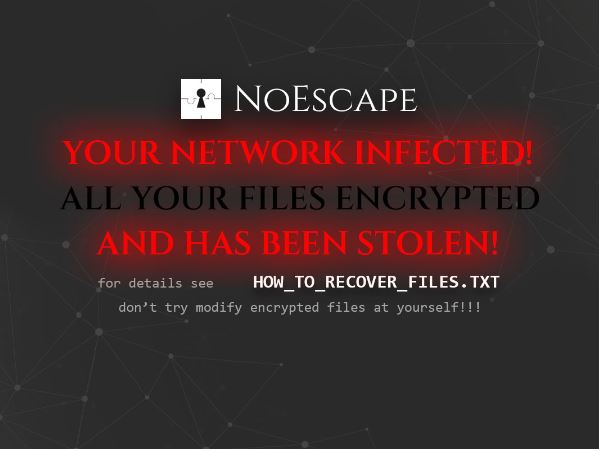
Fig.2 NoEscape desktop wallpaper (Source: BleepingComputer)
The HOW_TO_RECOVER_FILES.txt ransom notes are located in each folder on the device and includeinformation on what happened to a victim's files and links to the NoEscape Tor negotiation site.

Fig.3 NoEscape ransom note (Source: BleepingComputer)
Indicator of Compromise (IoC):
Hashes:
- ea1f7940271fc80d06b2f222506020b650ad41bc
- 30f71a24c15dd81965b12996a79d914acf4f169e
- 12dc0a2de3ad30201107bfcb679de5acacf31e5c
- 30c60f18279ed5fd36e3ac2d3ba5ddbdc5d1f624
- 9cbc7417fa5ce2f6d87026337fc7892e4f485819
- d38c613020cb4616783c8535380e28404f7eaebf
- b17403e7dcb992ba8d2b56dd843406264d3910e5
- 317f296131b37a73c9a5d253015821dfdc8b1190
Best Practices and Recommendations:
- Maintain offline backups of data.
- Ensure all backup data is encrypted and immutable.
- Implement strong unique passwords for all accounts.
- Implement multi-factor authentication for all services.
- Remove unnecessary access to administrative shares.
- Use host-based firewall to allow SMB access only from administrator machines.
- Enable protected files in Windows OS.
- Disable remote Desktop Connections and use least-privileged accounts.
- Check regularly for integrity of information stored in databases.
- Ensure integrity of scripts used in authentication and sensitive systems.
- Establish SPF, DKIM and DMARC email validation.
- Keep operating systems and applications updated with latest patches.
- Implement application whitelisting using Software Restriction Policies (SRP).
- Maintain updated Antivirus software.
- Do not open attachments in unsolicited emails.
- Follow safe browsing practices.
- Network segmentation into security zones.
- Disable ActiveX content in Microsoft Office.
- Restrict access using firewalls.
- Use Network Level Authentication (NLA) in Windows.
- Use RDP Gateways for management.
- Change the listening port for Remote Desktop.
- Tunnel Remote Desktop connections through IPSec or SSH.
- Use two-factor authentication for critical systems.
- Disable PowerShell or Windows scripting if not required.
- Restrict users' ability to install unwanted applications.
- Enable personal firewalls on workstations.
- Implement strict USB device usage policy.
- Employ encryption for data at rest and in transit.
- Install Enhanced Mitigation Experience Toolkit.
- Block attachments of file types: exe|pif|tmp|url|vb|vbe|scr|reg|cer|pst|cmd|com|bat|dll|dat|hlp|hta|js|wsf
- Carry out Vulnerability Assessment and Penetration Testing (VAPT).
- Do not pay ransom.